
Learn Spanish
The best place to learn Spanish online.
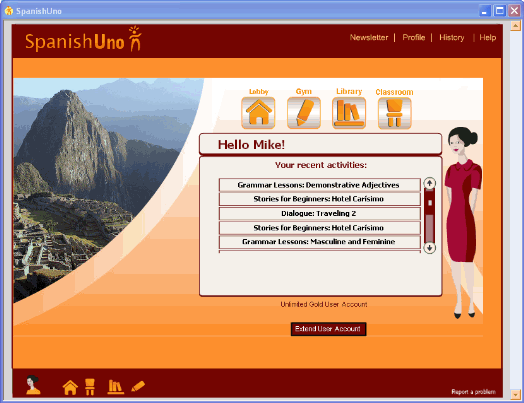
Using Spanish UnoSpanish Uno is a unique, full-service Spanish language
software designed to teach learners of all levels and backgrounds. Our company believes in the ability of our students and
doesn’t compromise on our high standards. We offer a comprehensive system that
focuses on grammar and vocabulary, in addition to learning conversational
skills. Our goal is for our students to gain the tools they need to speak
Spanish fluently. We offer a linearly designed system with proven results.
Spanish Uno software is fun and easy to use and learners have described Spanish Uno as
“fun and addiction”, and “easy and supportive”. We continue to update our
product in response to user feedback. Therefore, the Spanish Uno system
continues not only to work, but also to improve.
|
System Requirements
|
||||||||||||||||||||||||||||||||||||
|
Spanish Uno offers more features for less! We keep
our advertising costs low and continue to invest in our product and in our
customers. Our software is available through immediate download, saving on
costly materials. We also are proud to offer a paper/plastic free product
and feel proud to help contribute to a more environmentally conscious society. |
|||||||||||||||||||||||||||||||||||||
|
|||||||||||||||||||||||||||||||||||||
| Read more in Spanish Uno's Contents page... | |||||||||||||||||||||||||||||||||||||